The Super Nintendo Classic Edition is back in demand among retro gaming enthusiasts and newcomers alike. Nintendo’s miniature throwback console captures the magic of the original Super Nintendo Entertainment System (SNES) in a compact, modern package that works with contemporary displays. Whether you’re a nostalgic gamer who owned the original hardware in the ’90s or someone discovering these legendary titles for the first time, the Super Nintendo Classic Edition offers an accessible entry point to some of gaming’s most influential software. This guide breaks down everything you need to know about the system, from its hardware specs to its game library to practical setup advice, so you can decide if it’s the right choice for your collection.
Key Takeaways
- The Super Nintendo Classic Edition offers 21 pre-loaded classic games in a compact, plug-and-play device that connects to modern TVs via HDMI without requiring cartridges or additional maintenance.
- The emulation quality is cycle-accurate and faithful to original SNES hardware, though input lag of 1-2 frames may be noticeable in fast-paced action games but imperceptible for casual players.
- At an official retail price of $99.99, the Super Nintendo Classic Edition delivers strong value considering the cost of acquiring original cartridges individually, making it an accessible entry point for both nostalgic gamers and newcomers.
- Wireless controllers with 30-hour battery life and adjustable display settings like scanlines and aspect ratio provide modern convenience while maintaining the authentic aesthetic of the original 1990s console.
- The Classic Edition can be modded to add additional SNES games beyond the original 21, though this requires technical knowledge and voids the warranty.
- Original SNES hardware collectors should view the Classic Edition as a convenient supplement rather than a replacement, since it offers flexibility trade-offs like fixed game selection and minor emulation lag.
What Is The Super Nintendo Classic Edition?
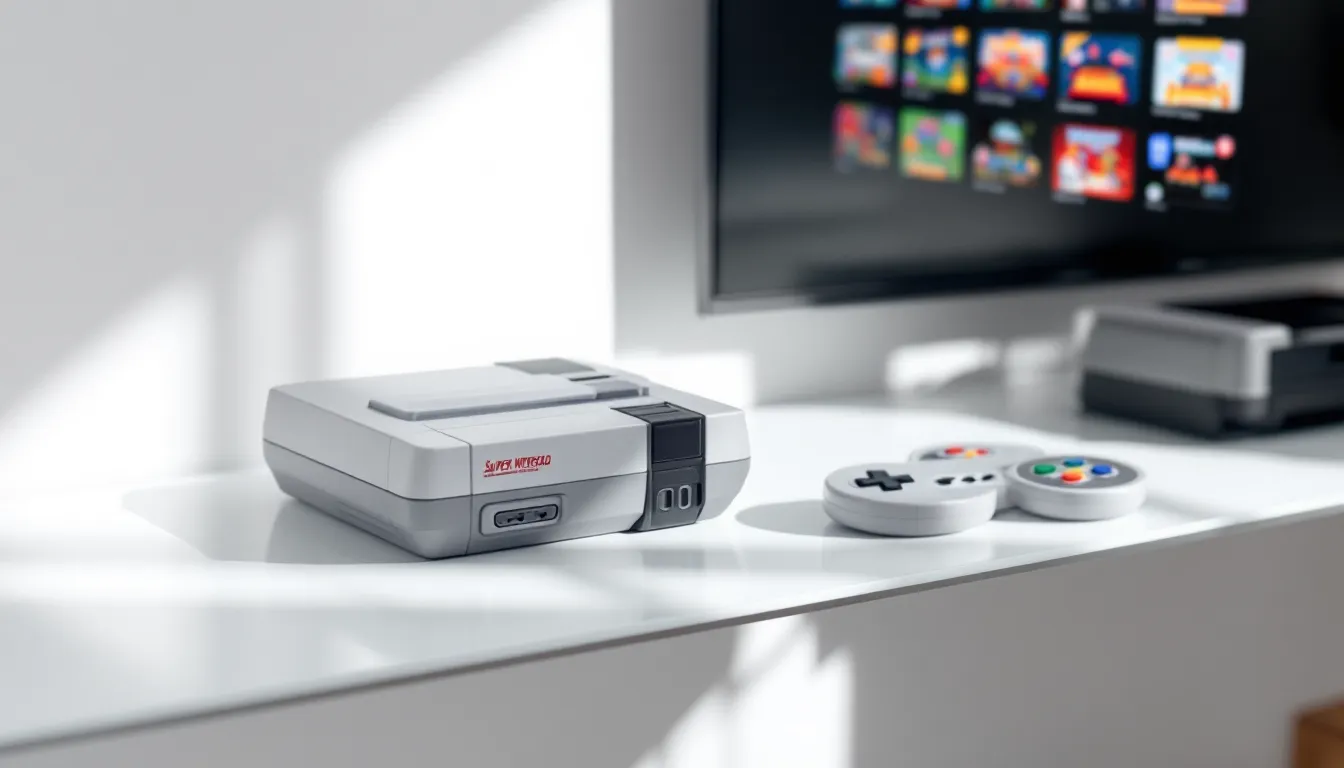
The Super Nintendo Classic Edition is a licensed mini console released by Nintendo that emulates the original SNES hardware. It’s a small, replica of the classic gray console that comes pre-loaded with 21 games and two controllers. Unlike the original system, which used cartridges, the Classic Edition is a self-contained device with no expansion options for additional cartridges, all games are built-in and accessed through a menu interface.
Nintendo released the first version in 2017 to capitalize on the success of the NES Classic Edition. The console became an instant collector’s item and has remained in and out of stock ever since. The hardware runs a custom emulation layer rather than original SNES silicon, which means it plays the games accurately but through a different technical approach than plugging in old cartridges would provide.
The appeal of the Super Nintendo Classic Edition lies in its simplicity and nostalgia factor. It eliminates the need to hunt down original cartridges, deal with potential hardware failures, or worry about display compatibility. For casual players, it’s a plug-and-play experience. For serious collectors, it’s a centerpiece that bridges retro gaming and modern convenience.
Key Hardware Specifications And Features
Console Design And Build Quality
The Super Nintendo Classic Edition measures about 5.12 inches wide, 4.3 inches deep, and 2.36 inches tall, roughly one-third the size of the original SNES. It’s designed to look like a miniature version of the 1990s console, complete with the raised center bump, gray plastic casing, and the iconic button layout on the front. The build quality is solid plastic throughout, not premium materials, but durable enough for normal use and display.
The console’s footprint is small enough to fit on a shelf or television stand without taking up much space. The power port is located on the rear, as is an HDMI output and a USB power input (yes, it requires external power, no batteries). The overall aesthetic captures the nostalgic charm of the original hardware without feeling cheap, making it a recognizable conversation piece for gaming collections.
Controllers And Connectivity Options
The Super Nintendo Classic Edition ships with two wireless controllers that mimic the original SNES pad layout. These controllers use a 2.4 GHz wireless connection and don’t require AA batteries, they charge via micro-USB and can run for about 30 hours on a full charge. The button layout includes the four-button diamond (Y, X, B, A), shoulder buttons (L and R), and a D-pad, matching the original hardware exactly.
Connectivity is straightforward: HDMI output is the only video option, and there’s a USB port for charging the controllers and powering the console itself. The console supports connection to any modern TV or monitor with an HDMI input. Unlike the original SNES, which required specific cables and adapters for modern displays, the Classic Edition integrates seamlessly with current television technology. The wireless controllers eliminate the tether of wired pads, though tethered controllers can be purchased separately if preferred.
The Game Library: 21 Classics Included
Must-Play Titles Worth Your Time
The core lineup includes some of the most celebrated games ever made. Super Metroid is a masterclass in level design and atmosphere, the game that defined the Metroidvania genre and remains utterly compelling decades later. The Legend of Zelda: A Link to the Past is a top-tier adventure that set the template for open-world exploration and puzzle-solving: it’s not just historically important, it’s genuinely engaging to play today.
Super Mario World launched alongside the original SNES and remains one of the best 2D platformers ever created. Its level design is intuitive but challenging, and the Yoshi mechanics add depth without overwhelming new players. Donkey Kong Country series games (particularly the first and second entries) pushed the SNES’s capabilities and delivered tight controls and satisfying level progression.
Final Fantasy III (originally FF VI in Japan) is an epic JRPG with a stellar soundtrack and memorable narrative moments. Chrono Trigger is widely considered one of the greatest RPGs of all time, the time-travel narrative, character depth, and New Game+ mechanics were revolutionary. Street Fighter II on SNES wasn’t the arcade-perfect version, but it brought competitive fighting gaming into homes and remains playable today.
Other standouts include Super Castlevania IV (precise platforming and whip mechanics), Mega Man X (fast-paced action platformer), and Kirby Super Star (a collection of mini-games and adventures that showcase Kirby’s versatility).
Hidden Gems And Underrated Selections
Beyond the marquee titles, the Classic Edition includes several games that deserve attention. Kirby’s Dream Course is a charming golf game that plays nothing like traditional golf, it’s creative and surprisingly challenging. Star Fox was technically impressive for its Mode 7 scaling effects and remains fun as a quick arcade-style shooter, though modern 3D games have aged better in this genre.
F-Zero is a futuristic racing game with snappy controls and a killer soundtrack. It’s short-lived but intense, perfect for quick sessions. Earthworm Jim is an oddball platformer with crude humor and inventive level design that rewards exploration. Super Punch-Out.. is a rhythm-based boxing game disguised as a fighting game: learning enemy patterns and timing your punches creates a puzzle-like satisfaction.
Secret of Mana is an action-RPG with cooperative multiplayer, lush visuals, and a memorable soundtrack. It’s less talked about than Final Fantasy III but equally rewarding. The Super Mario Bros. Super Show and other Mario spin-offs round out the list with variety, though they’re less essential than the main platformers.
The 21-game roster skews toward the system’s strongest software, which means most games are worth playing. There are no obvious “filler” titles, though personal preferences will vary, some players will gravitate toward action games, others toward RPGs or platformers.
Setup, Configuration, And Getting Started
Initial Setup And Connection Guide
Unboxing and getting the Super Nintendo Classic Edition running takes less than five minutes. Start by connecting the HDMI cable from the console to your television’s HDMI input. Plug the USB power cable into the console and connect it to a USB power adapter (any standard 5V USB adapter works). Power on the console using the physical power button on the front.
The system will boot to a home screen menu showing all 21 pre-loaded games as cartridge-style icons. Unlike modern gaming systems, there’s no internet connection required, no account creation, and no updates. You’re immediately ready to play any title from the library.
If you plan to expand the game library through modding (more on that later), initialization is the same, modding happens after initial setup.
Controller Pairing And Display Settings
The wireless controllers come pre-paired and will sync automatically when you power on the console. If a controller doesn’t respond, press the pairing button on the controller and the console simultaneously to re-establish the connection. The controllers charge via micro-USB ports on the rear: each controller includes a charging cable.
Display settings are minimal but functional. From the home menu, access Settings to adjust screen orientation (standard or rotated for vertical games, though most SNES games run in standard 4:3 aspect ratio). You can enable scanlines to mimic the look of old CRT monitors, which some players prefer for authenticity. Color saturation and brightness adjustments are available but generally don’t need tweaking unless your TV’s default HDMI color space is off.
The console outputs at 720p resolution regardless of which game you’re playing, the emulation layer upscales the original 256×224 pixel resolution. Modern TVs handle this well, and the upscaling is clean without obvious artifacts.
Gameplay Experience: Emulation Quality And Performance
Input Lag And Response Times
This is where the rubber meets the road for competitive or skill-based players. The Super Nintendo Classic Edition has measurable input lag, around 1-2 frames of delay between button press and on-screen response, depending on your TV’s HDMI processing. This is acceptable for turn-based games and slower-paced titles like RPGs, but it’s noticeable in fast action games like Mega Man X, Super Castlevania IV, or Street Fighter II.
For casual play, this lag is imperceptible. For players attempting speedruns or perfecting tough boss fights, the lag can affect timing. If you’re connecting the console to a TV with a gaming mode, enable it, this reduces TV-side input lag and brings the total delay closer to 1-2 frames.
The controller response itself is crisp: the wireless pads register inputs quickly and reliably. The issue is the emulation layer and HDMI pipeline, not the hardware or controllers.
Visual Quality And Audio Fidelity
The emulation is cycle-accurate, meaning the games run very close to how they did on original hardware. Visual quality is faithful, scanlines and filters can be toggled to adjust the appearance, but the core graphics are rendered accurately. Games like Chrono Trigger look sharp, Super Metroid maintains its atmospheric color palette, and Donkey Kong Country‘s pre-rendered backgrounds are crisp.
Audio is reproduced accurately from the original sound chip, and the SNES’s Dolby Digital 5.1 capability is supported where applicable (though most games only used stereo). Music and sound effects sound exactly as they did on original hardware, no digital artifacts or compression issues. The overall audio-visual presentation is transparent: you’re experiencing the games as they were designed.
Modding, Hacking, And Expanding Your Library
Adding Games Beyond The Factory Lineup
The Super Nintendo Classic Edition can be modded to add games beyond the original 21, though this requires technical knowledge and voids any warranty. The most accessible method involves flashing the internal storage with a custom kernel that allows a file browser interface, similar to retro game emulators like RetroPie.
Once modded, users can sideload additional SNES ROM files onto the console via USB. Popular choices include games that were released in Japan but never localized for North America (Fire Emblem: Genealogy of the Holy War, for example), unlicensed titles, homebrew games, or sequels that were never ported to SNES (like Final Fantasy VII through emulation, though performance suffers).
The process typically involves using open-source tools to create a backup of the console’s flash memory, modifying it with a custom menu system, and re-flashing it back to the console. It’s not difficult for someone comfortable with command-line tools, but it requires research and patience.
Community Resources And Safe Practices
Communities like Reddit’s r/retrogaming and dedicated SNES forums maintain up-to-date guides for modding the Classic Edition. Sites like Nintendo Life publish thorough reviews and news covering Nintendo hardware modifications, though Nintendo’s official position is that modding violates terms of service.
Safe practices include:
- Backing up your console before modding so you can restore it if something goes wrong
- Using verified kernel files from reputable community sources rather than random downloads
- Testing with a few games first before loading your entire collection
- Keeping original games under copyright protection in mind, loading ROM files of games you don’t own legally is infringement, even though enforcement is rare
If modding seems risky or technically intimidating, the original 21-game library is substantial and high-quality, and sticking with it is a perfectly valid choice. The console is meant to be enjoyed unmodified, and it delivers that experience out of the box.
Pricing, Availability, And Value Assessment
Current Market Pricing And Where To Buy
As of 2026, the Super Nintendo Classic Edition’s price fluctuates based on availability. Nintendo’s official retail price hovers around $99.99 USD, though availability at major retailers varies. When stock is available, you’ll find the console at Target, Best Buy, GameStop, and Amazon at the official price. When out of stock (which is frequent), secondary market prices inflate significantly, expect $150–$250 on eBay or specialty retro gaming shops during shortages.
Retailers occasionally bundle the console with extra controllers or games, which can offer better value if you’re purchasing extras anyway. If you catch a sale during holiday periods or clearance events, that’s your best opportunity for a discount off retail.
Regional pricing varies: UK pricing is around £79.99, European pricing around €99.99, and Australian pricing around AUD $149.99. Import options exist but typically cost more than buying locally due to shipping and region-specific power adapters.
Is It Worth The Investment?
At the official $99.99 price, the Super Nintendo Classic Edition is good value. You’re getting 21 games, several of which individually would cost $30–$60 if purchased as new cartridges or digital releases, plus hardware and two controllers. The entertainment value per dollar is strong, especially if you’re new to these games.
For players who already own a way to play SNES games (original hardware, emulators, or compilation releases like Nintendo Switch Online), the Classic Edition is a luxury item rather than a necessity. The appeal becomes about having a discrete, licensed, plug-and-play device rather than the practical need to access the games.
If you consider future availability, the Classic Edition’s production is uncertain. Nintendo has discontinued it before and may do so again, which affects long-term value. Collectors view it as a finite product, which sustains demand. For pure gaming value, though, you’re paying for convenience and nostalgia more than raw content, and that’s worth the cost if those factors matter to you.
Super Nintendo Classic Edition Vs. Original Hardware
Comparing the Classic Edition to original SNES hardware reveals trade-offs. The original system, released in 1990, uses proprietary cartridge-based games and RF or composite video outputs. Finding original cartridges in working condition requires hunting through second-hand markets, and costs escalate for rare or high-demand titles. Original hardware can fail due to capacitor degradation, controller degradation, and display incompatibility with modern TVs (requiring specialized cables or adapters).
The Classic Edition sidesteps these issues entirely. It’s a one-time purchase with zero maintenance, no moving parts, and guaranteed compatibility with any modern TV via HDMI. The trade-off is flexibility, you can’t swap cartridges, the game selection is fixed (unless modded), and the emulation introduces minor input lag not present on original hardware.
From a gameplay perspective, the differences are minimal for most players. Speedrunners and fighting game enthusiasts notice the input lag on the Classic Edition: casual players don’t. From a collector’s perspective, original hardware and cartridges are tangible, physical objects with long-term stability (if maintained), while the Classic Edition relies on continued availability of replacement units if the current one fails.
For someone starting from scratch, the Classic Edition is the obvious choice. For someone with original hardware, the Classic Edition is a supplement rather than a replacement. Both have merit depending on your goals and budget.
Speaking of comparisons, coverage from The Verge has examined how Nintendo’s classic consoles stack up against emulation and original hardware, providing additional perspective on the trade-offs involved.
Common Issues And Troubleshooting Tips
Controllers don’t pair. Power off the console and controllers completely. On the rear of each controller, press and hold the pairing button for 3 seconds. Power on the console, then power on the controllers. They should sync automatically. If this doesn’t work, the controllers may need charging, plug them in via USB for at least 30 minutes.
HDMI audio isn’t working. Check that your TV’s HDMI input is set to PCM audio format rather than Dolby Digital, and ensure the TV’s audio output is routed correctly. Swap HDMI cables, a faulty cable is a common culprit. Restart the console and TV in that order (TV first, console second).
Games run slowly or stutter. This is rare with the native 21-game library, but if it occurs after modding with additional games, the ROM file may be corrupted or incompatible with the emulation layer. Test with a known-good game to isolate the issue. If native games stutter, the console may be overheating, ensure vents aren’t blocked and allow it to cool for 10 minutes.
Screen is zoomed in or has black bars. Access Settings and adjust the screen zoom and aspect ratio options. The default should fit the game properly, but some TVs require manual adjustment depending on their native resolution and HDMI scaling.
Console won’t power on. Check that the USB power adapter is firmly connected to both the console and the wall outlet. Some USB adapters don’t provide enough current, Nintendo recommends using their official adapter, though any 5V/1.5A USB adapter works. If still unresponsive, the console may have a hardware failure and require manufacturer service.
Game saves aren’t persisting. The Classic Edition saves automatically after each session. If a game’s save is lost, this usually indicates a brief power loss during save. Avoid unplugging the console during active gameplay. If saves repeatedly fail, the console’s internal storage may be failing, contact Nintendo support.
These issues are uncommon with standard use. The console is designed to be straightforward, and most problems resolve with basic troubleshooting or a restart.
Conclusion
The Super Nintendo Classic Edition remains one of the best entry points into retro gaming. It delivers 21 legendary titles with authentic emulation, modern conveniences (HDMI, wireless controllers, no maintenance), and a price point that’s reasonable for the content included. The hardware is solid, setup is trivial, and the game library spans multiple genres, RPGs, action games, platformers, and sports titles all represented.
For casual players and collectors, it’s a no-brainer if you can catch it at retail price. For serious players chasing minimal input lag or complete SNES libraries, original hardware or emulation alternatives might suit you better. For someone curious about why these games matter, the Classic Edition is the easiest, fastest way to find out.
As covered by Game Informer, retro gaming devices like the Classic Edition fill a specific niche, they’re not replacements for preservation-focused original hardware, but they’re excellent for accessibility and casual enjoyment. Grab one if you find it in stock, treat the included games with the respect they deserve, and you’ll understand why the SNES era remains beloved nearly four decades later.
About The Author