Nintendo Labo VR has quietly carved out a unique niche in the gaming world since its launch in 2019. Unlike traditional VR systems that demand expensive hardware and dedicated space, Labo VR puts virtual reality directly into the hands of Nintendo Switch owners through clever cardboard craftsmanship and innovative motion controls. Whether you’re curious about how this DIY-meets-VR concept actually works or you’re ready to immerse yourself, the Labo VR kit remains one of the most accessible entry points to virtual reality gaming. This guide breaks down everything you need to know about building, playing, and maximizing your experience with Nintendo’s cardboard VR system in 2026.
Key Takeaways
- Nintendo Labo VR offers an affordable, accessible entry point to virtual reality gaming without requiring expensive hardware, external sensors, or dedicated play space.
- The system combines cardboard-based Toy-Con peripherals with motion-controlled gameplay, creating a unique physical engagement layer that distinguishes it from standard VR controllers.
- Motion tracking relies on Joy-Con accelerometers and gyroscopes for IMU-based tracking, which works well for casual and arcade games but lacks the precision and environmental awareness of dedicated VR platforms.
- Comfort sessions should be limited to 30-60 minutes to minimize eye strain and motion sickness, with proper headset fit and a 5×5 foot clear play space being essential for optimal experience.
- Nintendo Labo VR is ideal for families, casual players, and creative enthusiasts seeking a fun VR experience, but not recommended for competitive gamers expecting AAA titles or high-fidelity graphics.
- Regular maintenance of cardboard components—including moisture avoidance, proper storage, and wear inspection—ensures long-term durability and consistent performance.
What Is Nintendo Labo VR?
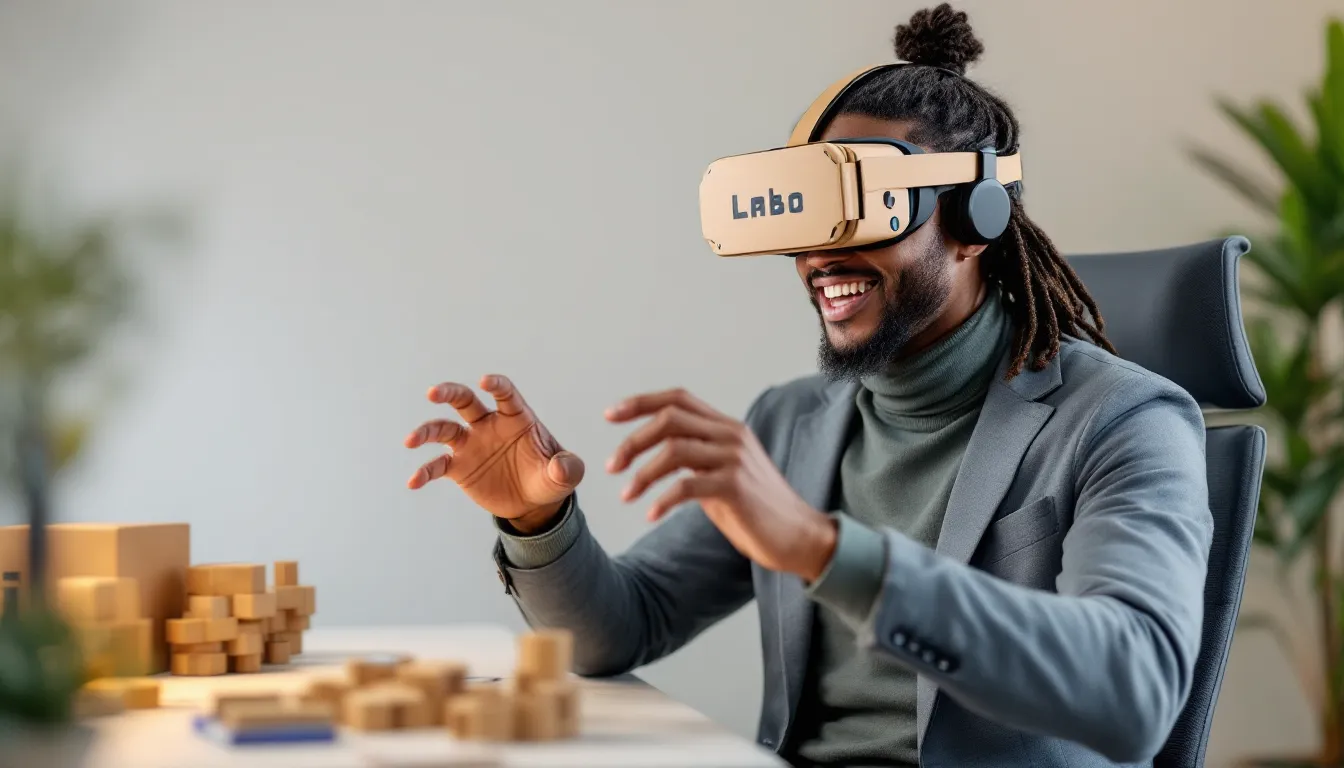
Nintendo Labo VR is a cardboard-based virtual reality system for the Nintendo Switch that combines the physicality of assembling Toy-Con controllers with immersive VR gaming experiences. It’s not a replacement for PlayStation VR or Meta Quest, it’s something entirely different. The system leverages the Switch’s portability and the Joy-Con controllers’ motion-sensing capabilities to create an accessible, affordable VR platform that doesn’t require a PC, external sensors, or a dedicated play space.
The core concept is deceptively simple: you build cardboard peripherals, slot your Switch into a cardboard headset, and play games that respond to your physical movements. The brilliance lies in the execution. Each Toy-Con you construct becomes an input device for specific games or experiences. Fold a blaster, and you’re aiming in a VR shooter. Assemble a camera, and you’re capturing virtual photographs. This physicality, the act of building and holding the hardware you’re about to use, creates an engagement layer that standard VR controllers don’t achieve.
Labo VR games range from straightforward arcade experiences to more intricate puzzle and action titles. Some are genuinely engaging for extended play sessions, while others feel more like tech demos. Patch updates and new releases have expanded the library over the years, though the platform hasn’t seen the aggressive development push that AAA VR platforms receive. Still, for casual VR exploration, creative play, and some legitimately fun experiences, it holds its own.
Nintendo Labo VR Hardware and Components
The VR Headset Cardboard Construction
The VR Headset is the foundation of the entire system. You build it from cardboard sheets, which slot together using a tongue-and-groove design, no glue, no tape required during assembly. The finished headset is surprisingly sturdy: Nintendo’s engineering ensures the cardboard doesn’t bow or collapse under normal use. Inside, a rigid plastic frame holds the Switch screen at the correct distance from your eyes, while two plastic lenses provide magnification and distortion correction for the VR effect.
The headset features a wide field of view, though not as expansive as dedicated VR systems. You’ll notice the edges of the Switch’s screen, which breaks immersion slightly during gameplay. The cardboard design also makes the headset less isolating than fully enclosed VR headsets, light leaks around the edges and sound isn’t dampened, which can be a pro or con depending on your preference. For a device made partially from cardboard, it feels remarkably refined once assembled.
VR Toy-Con Accessories
Toy-Con accessories are where Labo VR gets genuinely creative. The base kit includes a Blaster, a Camera, and a Wind Pedal, each built from cardboard and engineered to house the Joy-Con controllers in specific configurations. The Blaster feels like a light gun controller, aim and squeeze to fire. The Camera lets you adjust angles and focus by moving the Joy-Con inside the cardboard frame, mimicking real camera controls. The Wind Pedal is a floor-mounted pedal you press with your feet to control wind effects in certain games.
Additional Toy-Con accessories are available separately, including the Elephant, Butterfly, and Bird variants, each designed around unique control schemes and game experiences. The craftsmanship on these is impressive: they feel substantial and intentional, not cheap or throwaway. The cardboard is textured to prevent slipping, and the construction remains stable even after dozens of assembly and disassembly cycles.
One note: the cardboard does show wear over time. Repeated folding, flexing, and contact with sweat (especially on the Blaster trigger) can lead to softening edges or slight deformation. This is normal and doesn’t significantly impact functionality, though serious wear can eventually impact control precision. Some players have reinforced high-stress areas with clear tape as a preventative measure.
Getting Started: Unboxing and Assembly
What’s Inside the Box
The base Nintendo Labo VR Kit comes with:
- One cardboard sheet containing the VR Headset pieces
- Three cardboard sheets for the Blaster, Camera, and Wind Pedal Toy-Cons
- Two Joy-Con controllers (if you don’t already own a Switch with Joy-Cons)
- A plastic lens set, frame components, and straps
- An instruction booklet with QR codes linking to video assembly guides
- Nintendo Switch game software on a cartridge or as a digital download
Expect the entire package to weigh around 2-3 pounds. The cardboard sheets are flat-packed, so everything fits compactly. If you’re upgrading with additional Toy-Con kits, each comes with 1-2 cardboard sheets and assembly instructions.
Step-by-Step Assembly Tips
Assembly typically takes 1-2 hours for the full kit on your first build. Here’s how to approach it efficiently:
-
Start with the VR Headset. This is the most involved component. Follow the on-screen or printed instructions carefully. The cardboard pieces slot together in a specific sequence, rushing can lead to pieces that don’t align properly. The plastic lenses are fragile, so handle them with care and ensure they’re fully seated before proceeding.
-
Assemble Toy-Cons in order of complexity. The Blaster is relatively straightforward and a good second step. The Camera is slightly more involved due to the dial mechanism. The Wind Pedal is the simplest.
-
Ensure all cardboard tabs are fully inserted. Check visually and with gentle pressure that each tongue-and-groove joint is fully seated. Loose joints can lead to unwanted movement during gameplay, which affects motion tracking.
-
Test Joy-Con placement. Before finalizing any Toy-Con, insert the Joy-Con to confirm it fits snugly. The controllers should not rattle around inside the cardboard.
-
Keep instruction materials nearby. If you need to disassemble or rebuild a component later, having the instructions or access to the digital guides is invaluable.
Most first-time builders complete assembly without major issues. The design is forgiving: even if a step feels unclear, the physical constraints of the cardboard pieces usually guide you toward the correct configuration. Nintendo’s instruction booklets are well-illustrated, and QR codes in the box link to video walkthroughs if you get stuck.
Available Games and Experiences
Launch Titles and Exclusive Games
Launch games for Labo VR included Plaza, Blaster, Camera, Marble Run, Robot, and Wind Pedal. Each is built around the corresponding Toy-Con or concept:
- Blaster is a motion-controlled shooting gallery with multiple game modes, from simple target practice to wave-based survival scenarios.
- Camera offers photography challenges and creative experiences where you frame and capture virtual scenes.
- Marble Run is a puzzle-building game where you design marble courses and watch them play out in VR.
- Robot transforms the Blaster into a mech pilot’s cockpit: you control a giant robot by aiming and moving the controller.
- Plaza is a collection of mini-games and experiences showcasing Labo VR’s potential.
These games showcase the hardware’s capabilities but vary in depth. Blaster and Robot are the most substantial offerings, while others lean toward exploration and experimentation. Recent coverage from IGN and other gaming outlets has noted that while launch titles were innovative, repeat playtime depends heavily on individual interest.
Extended Catalog and Updates
Since launch, Nintendo has released additional experiences and updated existing ones through software patches. New games have been added periodically, though the update cadence slowed after the first year. The library now includes titles across puzzle, action, creative, and educational categories.
Notably, GameSpot’s coverage has highlighted that Labo VR doesn’t receive the aggressive DLC and seasonal content model that other Nintendo titles do. This is partly intentional, the kit is designed more as a creative platform than a live-service game. But, the base library and free updates ensure there’s always something new to experience if you haven’t explored every title yet.
Additional Toy-Con kits (sold separately) introduce corresponding games and experiences. For example, purchasing the Elephant Toy-Con adds elephant-themed VR experiences. These are optional expansions: the base kit alone provides dozens of hours of content for most players.
Gameplay and Performance Analysis
Motion Controls and Tracking
Labo VR relies on the Joy-Con’s built-in accelerometers and gyroscopes for motion tracking. Unlike dedicated VR systems with external sensors or inside-out tracking cameras, Labo VR is purely IMU-based (Inertial Measurement Unit). This means the system calculates your hand position based on acceleration and rotation data, without visual reference to the environment.
In practice, this works surprisingly well for casual and arcade-style games. The Blaster experiences track aiming smoothly, and the Camera’s mechanics feel responsive. But, there are limitations. The system can’t detect your head’s position in 3D space, it assumes you’re looking straight ahead. This means you can turn left or right, but the game won’t adjust if you lean forward or backward. For action-oriented experiences, this is fine. For immersive exploration games, it’s noticeably limiting.
Drift, the gradual loss of calibration in Joy-Con sensors, can affect accuracy during extended play sessions. Nintendo included a recalibration function in the software to address this, and most users find they need to recalibrate every 30-60 minutes of play. It’s a minor inconvenience but worth knowing about upfront.
Graphics and Visual Quality
Graphically, Labo VR games are modest. They’re not pushing Switch hardware to its limits: most run at 60 FPS with relatively simple geometry and textures. The resolution is effectively 1280×720 (the Switch’s docked resolution split between two lenses), which feels clear enough at VR distances but noticeably lower-fidelity than dedicated VR platforms.
Visual clarity is also affected by the cardboard lenses. They’re functional but introduce slight chromatic aberration (color fringing) and don’t provide the edge-to-edge sharpness of high-end VR optics. Within the game’s central viewing area, visuals are clear. Toward the periphery, quality drops off. This is acceptable for the price point and hardware constraints, but it’s worth acknowledging if you’re coming from other VR experiences.
Color accuracy and contrast are respectable, given the source is a handheld LCD screen. Darker scenes can sometimes feel muddy, partly due to the Switch’s native screen limitations rather than the Labo VR system itself.
Tips and Tricks for Optimal Experience
Comfort and Setup Recommendations
Comfort is paramount for VR sessions. Here’s what matters:
-
Adjust the headset fit properly. The straps should hold the headset snugly without pressing hard into your forehead or the bridge of your nose. Too loose, and you’ll have gaps letting in light and losing immersion. Too tight, and you’ll develop a headache within 20-30 minutes.
-
Clear play space. Labo VR doesn’t require as much space as room-scale VR, but you’ll be moving your arms, sometimes vigorously. Clear a 5×5 foot area minimum of obstacles. Accidentally swinging the Blaster into a lamp or family member is a common mistake.
-
Session length matters. Extended VR can cause eye strain and slight disorientation, especially with the lower resolution and narrower field of view of Labo VR. Most players find 30-60 minute sessions are comfortable: longer than that and fatigue sets in. Take breaks.
-
Optimize your Joy-Con battery. Joy-Cons have about 20 hours of battery life per charge. Labo VR doesn’t drain them faster than standard use, but having them fully charged before a session eliminates mid-play interruptions. Also, avoid using Joy-Cons in extreme temperatures: cardboard + electronics + heat is a slow burn risk.
Cardboard Maintenance and Durability
Cardboard is surprisingly durable under normal conditions, but here’s how to keep your Labo VR kit in top shape:
-
Avoid moisture exposure. Sweat from intense gaming sessions is fine, but direct exposure to liquids can warp or soften the cardboard. If a component gets damp, let it air dry completely before use.
-
Store flat and dry. When not in use, store the assembled kit flat or upright in a cool, dry environment. High humidity degrades cardboard over time. Extreme heat can warp plastic components and weaken cardboard joints.
-
Inspect regularly for wear. Check trigger areas, joint tabs, and high-stress points every few months. Minor edge wear is normal. If cardboard starts to tear or deform noticeably, reinforce problem areas with clear packing tape on the inside surfaces.
-
Disassembly and reassembly. If you need to disassemble a component, do so carefully. The cardboard is reusable, but repeated folding in the same spots weakens the material. If you find yourself frequently swapping Toy-Cons, consider leaving frequently used ones assembled.
-
Consider protective storage. Some players have built simple cardboard boxes or shelves to store Labo VR components. This protects them from dust, accidental impacts, and environmental stress. A modest storage solution extends the kit’s lifespan considerably.
Who Should Buy Nintendo Labo VR?
Nintendo Labo VR is an excellent fit for specific types of players but may disappoint others. Here’s the breakdown:
Great for:
- Families looking for a shared VR experience. Assembly is an activity in itself, and the games are generally accessible to younger kids (though some titles skew older).
- Nintendo Switch owners curious about VR without committing to expensive hardware. At $70-80 (for the base kit, often discounted), it’s an affordable entry point.
- Creative and experimental gamers who appreciate the novelty of the cardboard Toy-Con concept. If you enjoy building and tinkering, the assembly process is part of the appeal.
- Casual players. The game library includes relaxing, non-competitive experiences alongside more action-oriented titles.
Not ideal for:
- Competitive or hardcore gamers expecting depth comparable to major VR titles. The game library is small and hasn’t received major new releases recently, according to Gematsu’s coverage of Nintendo’s game releases.
- Players seeking high-fidelity graphics or precision motion tracking. Labo VR is a great stepping stone but doesn’t match dedicated VR systems in these areas.
- Those with limited storage or minimal assembly patience. If you don’t have space for cardboard peripherals or assembly sounds tedious, this kit isn’t for you.
- Anyone with significant motion sensitivity. Some users report motion sickness more readily in Labo VR due to the IMU-only tracking and lower visual fidelity. If you’re prone to VR sickness, start cautiously.
The bottom line: Labo VR is a platform designed for exploration, creativity, and casual play, not for replacing or competing with PlayStation VR, Meta Quest, or SteamVR. Judge it on its own terms, and it’s genuinely worthwhile.
Conclusion
Nintendo Labo VR remains a unique and genuinely fun entry into virtual reality gaming in 2026. It’s not flashy, doesn’t have blockbuster AAA titles, and its technology isn’t cutting-edge. But it does something that few other VR platforms accomplish: it makes virtual reality approachable, affordable, and actively fun to set up. The act of building your own VR hardware, but humble, creates an emotional investment that you don’t get by unboxing a pre-made headset.
The game library, while modest, offers genuine variety across puzzle, action, creative, and exploration genres. Some experiences are genuinely great: others are tech demos. Most players find enough content for dozens of hours of enjoyment, especially if they revisit titles with friends or family.
If you own a Nintendo Switch and you’ve been curious about VR, Labo VR is absolutely worth your time and money. It’s a gateway to understanding how VR works, and it’s a legitimate platform for casual gaming and creative play. Just manage your expectations, you’re not getting PlayStation VR in cardboard form. You’re getting something more niche, more playful, and eventually more uniquely Nintendo than that.
About The Author