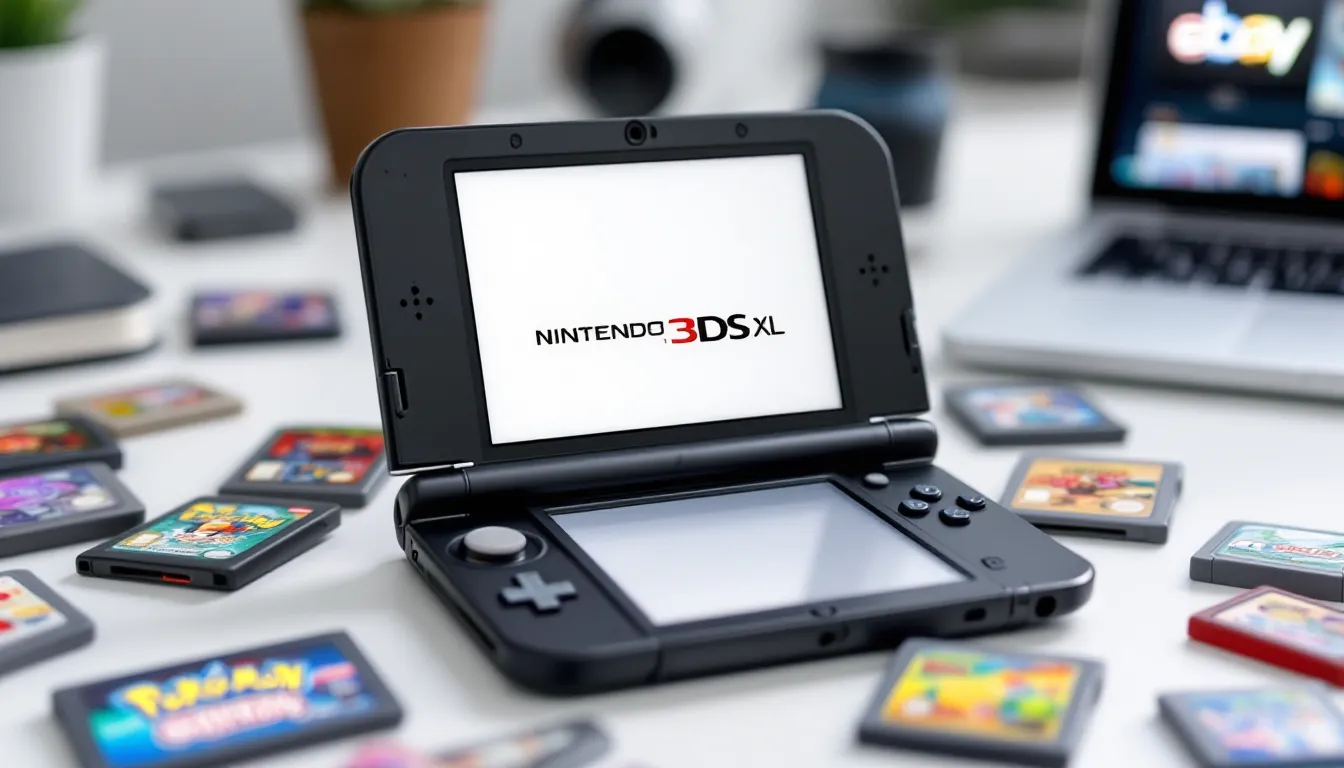
The Nintendo 3DS may have been officially discontinued in 2020, but in 2026 the used market for these handheld consoles is thriving. Nostalgia, affordability, and an enormous library of exclusive games have turned the secondary market into a treasure trove for both returning players and newcomers. If you’re thinking about grabbing a used Nintendo 3DS, you’re looking at portable gaming that genuinely holds up, but the process of finding a solid unit, knowing which model to buy, and spotting potential problems requires some strategy. This guide walks you through everything you need to know to make a smart purchase without getting burned by common pitfalls or hidden damage.
Key Takeaways
- A used Nintendo 3DS costs $100–200 and offers access to over 3,500 exclusive games that won’t appear on the Switch, making it an affordable entry point into a massive library.
- Before buying a used 3DS, thoroughly inspect the hinge, screens, buttons, battery health, and cartridge slot—hinge damage and dead pixels are common red flags to watch for.
- The New 3DS XL provides the best long-term value with a faster processor, larger screens, and improved 3D tracking, though a well-maintained 3DS XL is a solid budget alternative at $110–160.
- Prioritize physical game cartridges over eShop downloads, as the Nintendo digital store will eventually shut down and physical copies hold more long-term value.
- Verify the console isn’t software-banned by requesting proof that the eShop works and the system can access online features before completing your purchase.
Why Buy a Used Nintendo 3DS in 2026
The Nintendo 3DS remains one of the most compelling handheld gaming platforms ever made, and buying used offers genuine advantages. First, there’s the library: over 3,500 games across the eShop and physical cartridges, spanning beloved franchises like Pokémon, Fire Emblem, Animal Crossing, and Kirby. Many of these titles exist nowhere else, and they’re not coming to the Switch.
Second, cost matters. A used 3DS typically runs $100–200 depending on model and condition, versus $300+ for a new Switch. For casual players or series fans, that’s a no-brainer. You’re getting decades of content for a fraction of what new hardware costs.
Third, the 3D feature, while divisive, offered something genuinely different in handheld gaming. Games like Pokémon X/Y and Kirby Planet Robobot leveraged stereoscopic 3D in ways that made the experience distinct. If you missed that era, a used 3DS lets you experience it on the original hardware.
Finally, the form factor itself matters to some players. The foldable design, the tactile buttons, and the overall ergonomics set the 3DS apart from the Switch’s larger, flatter profile. For retro gaming enthusiasts and players who value portability without bulk, the 3DS is still unmatched.
The Current Market for Used 3DS Consoles
The used 3DS market in 2026 is surprisingly robust, driven by collectors, nostalgic gamers, and players building comprehensive Nintendo libraries. Prices have stabilized after the initial post-discontinuation surge, and availability is strong across multiple channels.
Pricing Trends & Where to Buy
Expect these approximate price ranges for used consoles as of early 2026:
- Original 3DS: $80–130 (most affordable, but aging hardware)
- 3DS XL: $110–160 (better screen, more comfortable for extended play)
- New 3DS: $140–200 (faster processor, better build)
- New 3DS XL: $160–220 (premium option with all upgrades)
Prices vary based on condition, included accessories, and regional demand. Japan often has cheaper units due to higher regional supply, though shipping adds cost.
Where to buy:
EBay remains the largest marketplace: it offers buyer protection but requires careful inspection of listings and seller ratings. Facebook Marketplace and local classified apps like OfferUp provide chances to inspect units in person before paying, which eliminates shipping risk. Specialized retailers like GameStop occasionally stock used 3DS units, though selection varies and prices run slightly higher. Japanese import sites and auctions (Yahoo Auctions Japan, Mercari) offer competitive pricing but require international shipping and familiarity with Japanese. Retro game stores in your area, if they exist, offer the advantage of hands-on inspection and often provide limited warranties.
Popular Games Still Worth Playing
The 3DS library aged exceptionally well. These titles remain genre-defining and justify a console purchase alone:
- Pokémon X/Y and Omega Ruby/Alpha Sapphire: The franchise’s transition to 3D, with engaging campaigns and still-active online multiplayer in 2026 (though slower than peak years)
- Fire Emblem: Awakening: Genre masterpiece that revitalized the series
- The Legend of Zelda: A Link Between Worlds: Arguably the best 2D Zelda ever made
- Kirby Planet Robobot & Triple Deluxe: Creative platformers that showcase the 3D feature brilliantly
- Animal Crossing: New Leaf: Still the most relaxing entry point to the franchise for many players
- Persona Q & Q2: Unique dungeon crawlers blending Persona and Etrian Odyssey mechanics
- Monster Hunter 4 Ultimate: The franchise’s handheld peak, with thousands of hours of endgame content
Physical cartridges for these games range from $15–60 depending on rarity and condition. The eShop is still functional in 2026 but will eventually shut down, so physical copies hold more long-term value.
How to Inspect a Used 3DS Before Buying
Buying used without proper inspection is how you end up with a unit that fails after a month. If purchasing online, request detailed photos or video from the seller. If buying in person, spend 10 minutes thoroughly testing the hardware. Here’s what to check:
Physical Condition & Hardware Check
Start with the exterior. Look for cracks in the plastic shell, especially around the hinges, this is the most common failure point. Check both the bottom and top screens for signs of pressure damage or separation at the edges. Run your fingers over all button inputs: D-pad, A/B/X/Y, shoulder buttons, Start/Select. Each should respond firmly with no stuck or mushy feeling.
Inspect the cartridge slot. Look inside for debris, corrosion, or bent contacts. Gently insert a game cartridge (ask the seller if you’re buying in person) and verify it seats fully and reads without errors. Check the charging port for bent pins, corrosion, or loose connections, push the charging cable in firmly and hold it for a few seconds to confirm solid contact.
Examine the stylus housing and microSD card slot. These are easily damaged on used units. The stylus should slide smoothly and click into place. Verify the microSD slot opens cleanly without jamming.
If the unit has visible damage, dents, paint chipping, loose buttons, factor that into your offer. Cosmetic damage doesn’t affect gameplay, but it suggests the console wasn’t well-maintained.
Screen Quality & Display Issues
The 3DS has two LCD screens, and screen degradation is common on used units. Here’s what to watch for:
Dead pixels: Power on the console and load the home menu. Look carefully at both screens for black or bright pixels that don’t change. A few dead pixels are cosmetic and not worth rejecting over, but a cluster suggests heavy use or potential failure.
Screen separation: Look at the seams where the top screen meets the plastic frame. If the screen appears lifted or there’s visible separation, that’s a red flag. It indicates potential internal damage and may worsen over time.
LCD ghosting or image retention: Open a bright image, then switch to a dark one. The image shouldn’t linger on the screen. If ghosting is severe, it suggests aging LCD panels that may fail soon.
Dust under the screen: Some dust is normal on older units. Significant dust clusters or moisture under the glass indicate poor storage conditions or previous water damage. Avoid these units.
Brightness and color consistency: The 3D effect is only functional if the top screen displays colors accurately. View the home menu from different angles, colors shouldn’t shift dramatically. Adjust brightness in the settings and confirm the screen responds to all brightness levels.
Battery Health & Power Concerns
The 3DS uses proprietary lithium-ion batteries, and battery degradation is the most common issue with used units. A healthy 3DS gets 3–5 hours of play: a worn battery might provide only 1–2 hours.
Request the seller run a battery health check via the system settings. On the home menu, go to System Settings → Other Settings and check the “System Health and Safety” section. This doesn’t give precise percentages on older 3DS models, but it flags if the battery is critically low.
Ask the seller how long the unit holds charge and demand a real-world test if buying in person. Boot up a game and play for 15 minutes while the seller monitors battery percentage in the status bar. The battery should drop no more than 5–8% during normal gameplay.
If the seller can’t confirm battery health, assume the battery is worn. Replacement batteries cost $15–30 and are easy to swap yourself, but factor that into your offer. Avoid units that won’t power on at all without the charger plugged in, that’s either a dead battery or a motherboard issue, and motherboard repairs aren’t worthwhile on used 3DS units.
Different 3DS Models: Which Should You Choose
Nintendo released four major 3DS revisions, and each has distinct hardware characteristics. Choosing the right model depends on your priorities and budget.
Original 3DS vs. 3DS XL vs. New 3DS vs. New 3DS XL
Original 3DS (2011)
- Screen size: 3.5-inch (top) and 3-inch (bottom)
- Processor: ARMv6
- RAM: 128MB
- Strengths: Most affordable, most compact, classic design
- Weaknesses: Smallest screens, slower performance, older build quality, battery life ~3–4 hours
3DS XL (2012)
- Screen size: 4.8-inch (top) and 4.2-inch (bottom)
- Processor: ARMv6
- RAM: 128MB
- Strengths: Larger screens improve visibility and immersion, better ergonomics, handles the library identically to original 3DS
- Weaknesses: Larger form factor reduces portability, same processing power as original, ~4–5 hour battery
New 3DS (2014, Japan) / New 3DS (2015, US)
- Screen size: 3.88-inch (top) and 3.33-inch (bottom)
- Processor: ARMv7 (significantly faster)
- RAM: 256MB
- New features: C-stick nub for camera control, improved 3D tracking with eye-tracking sensors
- Strengths: Notably faster load times (30% faster than original), improved 3D effect, compact size, premium build materials
- Weaknesses: Rarer than XL versions in secondary market, smaller screens than XL, ~3.5–4.5 hour battery
New 3DS XL (2014–2015)
- Screen size: 4.88-inch (top) and 4.18-inch (bottom)
- Processor: ARMv7
- RAM: 256MB
- Strengths: All New 3DS improvements plus largest screens, best for extended play sessions, most comfortable for adult hands
- Weaknesses: Most expensive used option ($160–220), bulkiest model, similar battery to New 3DS
A few games require New 3DS hardware and won’t run on original 3DS/3DS XL. This list is small but notable: Xenoblade Chronicles 3D, Binding of Isaac: Rebirth, Hyrule Warriors Legends, and Fire Emblem Fates: Special Edition. If you care about future-proofing your library, New 3DS or New 3DS XL is safer.
Comparing Features & Performance Differences
The processor jump from ARMv6 to ARMv7 is real. New 3DS units load games 20–40% faster and handle demanding titles with fewer framedrops. Games like Pokémon Sun/Moon run noticeably smoother on New 3DS hardware.
The C-stick (a nub identical to GameCube controller C-sticks) matters for games requiring camera control. On original 3DS, you’d use the D-pad or touch screen to adjust the camera, which felt awkward in shooters or action games. New 3DS owners can use the C-stick, making games like Monster Hunter and Resident Evil Revelations feel more natural.
The improved 3D tracking on New 3DS uses gyroscopes and outward-facing cameras. The original 3DS required precise head positioning: the New 3DS maintains the 3D effect at wider viewing angles. If you plan to use 3D heavily, the improvement is worthwhile.
Battery life is marginally better on XL models due to larger batteries, though processor efficiency doesn’t drastically shift between generations. All 3DS units degrade with age, so a well-maintained original 3DS might outlast a neglected New 3DS XL.
Finding the Right Model for Your Needs
Choose Original 3DS if:
- Budget is your priority and you want the cheapest entry point
- You value maximum portability and don’t plan extended play sessions
- You’re curious about the console but uncertain about long-term commitment
Choose 3DS XL if:
- You want larger screens without paying for New hardware
- You have visibility issues and need the bigger display
- You want the best balance of affordability and comfort
Choose New 3DS if:
- You want the fastest, most future-proof experience and can accept smaller screens
- Screen size doesn’t concern you and you prioritize performance
- You want the most premium non-XL experience
Choose New 3DS XL if:
- You want the absolute best all-around experience regardless of cost
- You plan to spend 200+ hours in this library and want maximum comfort
- You want the most durable, future-proof model with the fastest processor and largest screens
For most players in 2026, New 3DS XL represents the best long-term value, but a well-maintained 3DS XL is a perfectly viable option at $110–160. The gap in real-world performance between XL and non-XL models is far more noticeable than the gap between original and New hardware.
Red Flags & Common Problems to Avoid
The used 3DS market includes its share of scams and defective units. Knowing what to avoid saves money and frustration.
Counterfeit Consoles & Scams
Counterfeit 3DS units are rare compared to counterfeit Switches or controllers, but they exist. Check for these telltale signs:
- The Nintendo logo or branding looks off: fuzzy lettering, incorrect fonts, or misspellings
- The shell feels cheap or light compared to legitimate units
- The serial number inside the battery compartment (accessed by removing the back panel) doesn’t match Nintendo’s format or looks hand-written
- The unit powers on but immediately crashes or shows corrupted menus
When buying on eBay or Mercari, stick with sellers who have 98%+ positive feedback and documented sales history. Don’t buy from sellers with low feedback or vague product photos that hide branding.
Asian marketplaces sometimes sell refurbished units marketed as new. These aren’t counterfeits but aren’t full-price new units either. If the price seems too good to be true, ask for detailed photos of the original packaging and Nintendo branding.
Hinge Damage & Structural Issues
The 3DS hinge is its weakest point. Years of opening and closing stress the plastic, and once the hinge cracks, repair is difficult and expensive.
Inspect the hinge area closely. Open and close the unit 10 times and listen for creaking or feel for grinding. The screen should stop at any angle without dropping or snapping shut. If the hinge feels loose or you hear plastic popping, walk away.
Check for vertical cracks running down the center where the hinge connects to the lower screen. These cracks often start hairline-thin and expand with use. Once a hinge cracks significantly, the unit is at risk of the top screen separating entirely, which damages the ribbon cables and motherboard.
Ask the seller directly: “Has this unit ever been dropped or had hinge damage?” If they’re evasive or claim to not know, assume the worst. Hinge repairs require partial disassembly and cost $40–80 if you DIY or $80–120 at a repair shop.
Software Concerns & System Bans
Nintendo has banned consoles that ran pirated games or used homebrew modding tools. A banned system can’t access the eShop, play online multiplayer, or download updates. It’s not a complete brick (you can still play physical cartridges), but it’s limited.
Before committing to a purchase, ask the seller if the system can access the eShop and has an active internet connection. Request a screenshot or video showing the eShop working and the account logged in. If they can’t or won’t provide this, the console may be banned.
Note that Nintendo accounts aren’t the same as system NNID accounts: older 3DS units use NNID (Nintendo Network ID), which is different from modern Nintendo accounts. A system with an outdated NNID isn’t useless, but you won’t be able to link modern Nintendo accounts to it.
If you’re buying a used 3DS, you should plan to format the system (erasing all data) and create a fresh account. This removes any previous owner data and, in theory, resets ban status on older systems. But, hardware bans do exist, and there’s no public way to check ban status before purchasing. Buying from reputable sellers with purchase protection (eBay, PayPal Goods & Services) mitigates risk, you can return a banned unit.
Avoid units with CFW (custom firmware) mods visible in the system menu. While modding itself isn’t harmful, it correlates with piracy. Modded systems are more likely to be banned, and you might face complications if you ever want to restore the system to factory settings.
Maximizing Your Used 3DS Experience
Once you’ve secured a solid used 3DS, smart maintenance and thoughtful game acquisition will maximize longevity and enjoyment.
Maintenance Tips & Longevity
Used 3DS units are 5–14 years old. Proper care extends their lifespan significantly.
Storage: Keep the console in a cool, dry environment. Avoid direct sunlight and high humidity, which accelerate plastic degradation and LCD panel deterioration. The original case or a third-party pouch protects against dust and minor impacts.
Battery care: Remove the battery if storing for more than a month. Lithium-ion batteries degrade even while sitting. Removing them slows this process. Before long storage, charge to 50%, then remove and store in a cool environment. When you’re ready to use the console again, reinstall the battery and charge fully.
Screen protection: The top screen is vulnerable to scratches and pressure damage. Consider a tempered glass protector ($10–15) or a protective case with a screen cover. Avoid heavy pressure on the closed console, don’t sit on it or place heavy objects on top.
Button care: The D-pad and A/B/X/Y buttons wear over time. Avoid pressing them at extreme angles or with excessive force. If buttons start sticking, compressed air can dislodge debris inside the casing before it worsens.
Charging practices: Use only official Nintendo chargers or high-quality third-party alternatives. Cheap knock-offs can damage the motherboard’s charging circuitry. Charge regularly, don’t let the battery fully deplete often, as that accelerates degradation.
Contact cleaning: If cartridges read inconsistently or the console has intermittent power issues, the charging port contacts may be corroded. Isopropyl alcohol and a cotton swab can clean corrosion, but be gentle to avoid damaging the pins.
Building Your Game Library
Physical cartridges are your best bet in 2026, given the eShop’s eventual sunset. Priority purchases:
- Series staples: Pokémon, Fire Emblem, Zelda, Mario, these are expensive used but worth it for hundreds of hours
- Exclusive franchises: Monster Hunter, Etrian Odyssey, Persona Q
- Hidden gems: Radiant Historia, Kirby Triple Deluxe, Kirby Planet Robobot, Pushmo, Dillon’s Rolling Western
- RPGs: Bravely Default, Lufia: Curse of the Sinistrals, Tales of the Abyss
Cartridge prices are volatile. As of early 2026, common titles run $15–30: rare or in-demand titles like Fire Emblem: Conquest or Pokémon Emerald remakes can hit $50–80. Watch prices over a few weeks before buying. eBay, GameStop, and Mercari often have better deals than niche retro shops, and you can negotiate with private sellers if buying in person.
Don’t rely solely on the eShop, but if a game is exclusivel available digitally (some Indies and smaller titles), download it before the eShop closes (likely 2027–2028). Back up saves to microSD card if possible, though the 3DS system backup tools are limited.
Modding & Customization Considerations
Some players customize used 3DS units with shell replacements, screen protectors, or custom themes. This is purely aesthetic and doesn’t affect gameplay.
Shell replacements: Third-party plastic shells replace the original casing. Quality varies: cheap shells feel floppy and buttons misalign. Reputable sellers charge $20–40 for quality shells. Replacement is straightforward (5–10 minutes of disassembly) but requires care not to damage ribbon cables.
Screen protectors: Tempered glass or plastic protectors are standard. Matte finishes reduce glare: glossy finishes preserve colors. Installation is simple and reversible.
Custom themes: The 3DS home menu supports custom themes via the eShop. Thousands of free and paid options let you personalize the aesthetic. Themes have zero effect on hardware or performance, purely cosmetic.
CFW (Custom Firmware): This is where customization becomes risky. CFW enables ROM loading, free games, and system modifications. But, it voids any warranty, risks console bans, and correlates with the eShop shutdown (you lose access to digital purchases). If you care about playing the official library or online multiplayer in 2026, avoid CFW.
Recommendation: Customize the exterior if you enjoy it, but leave the software untouched. The 3DS library is so good that you don’t need ROM loading to get thousands of hours of content, and the eShop, while shutting down eventually, still works reliably now.
Conclusion
Buying a used Nintendo 3DS in 2026 is a smart move for anyone seeking an affordable entry point into one of gaming’s deepest libraries. The secondary market is stable, prices are reasonable, and the hardware, even though its age, remains durable when maintained properly.
Prioritize inspection and verification. Demand photos or video, test hardware functionality, and check battery and screen quality before committing. New 3DS XL represents the best all-around experience, but a well-maintained 3DS XL gives you 80% of the value at 60% of the cost.
Avoid the obvious traps: hinge damage, screen separation, dead batteries, software bans, and sketchy sellers. Use buyer protection when purchasing online, and negotiate for units with cosmetic damage.
Once you’ve got your system, maintain it intelligently and prioritize physical games. The 3DS’s library of exclusives, Pokémon, Fire Emblem, Kirby, Zelda, Monster Hunter, justifies the investment entirely. For under $200, you’re getting a console that’ll entertain you for years and still hold value if you ever decide to move on.
The 3DS era may be over, but the handheld itself isn’t done. It’s a piece of gaming history worth experiencing, and the used market is the perfect time to jump in.
About The Author