If you’ve got a Nintendo 2DS sitting in your collection, you already know these things are workhorses. They’ve outlasted countless other handhelds, but keeping one charged is where things get tricky. Finding the right Nintendo 2DS charger doesn’t sound complicated until you realize there are multiple versions of the 2DS, conflicting compatibility claims all over the internet, and a minefield of third-party options that range from genuinely solid to questionable at best. Whether your original charger finally gave up the ghost, you picked up a used system, or you’re just looking for a backup, knowing exactly what works, and what doesn’t, will save you money and headaches. This guide cuts through the noise and gives you the facts you need to make a confident purchase.
Key Takeaways
- The original Nintendo 2DS (2013) uses a proprietary connector while the 2DS XL (2017) uses micro-USB, so verify your model before purchasing a Nintendo 2DS charger.
- Official Nintendo chargers guarantee compatibility and safety, but third-party options from brands like Anker, Belkin, and PDP are reliable alternatives when certified and properly reviewed.
- Look for chargers with FCC or CE certification, quality cable construction with stress relief, and a firmly-seated connector to avoid damage, slow charging, or hardware failure.
- Clean your charging port with a toothpick and isopropyl alcohol if your 2DS won’t charge; dust accumulation and corroded connectors are common culprits often mistaken for dead chargers.
- Extend your charger’s lifespan by gripping the connector when unplugging, storing it loosely coiled in cool conditions, and unplugging when not in use to prevent internal component degradation.
Understanding Nintendo 2DS Charging Options
The Nintendo 2DS lineup created some serious charging confusion, and it’s important to understand why. There are actually three different charging standards in play here, and mixing them up is a guaranteed way to waste money or damage your system.
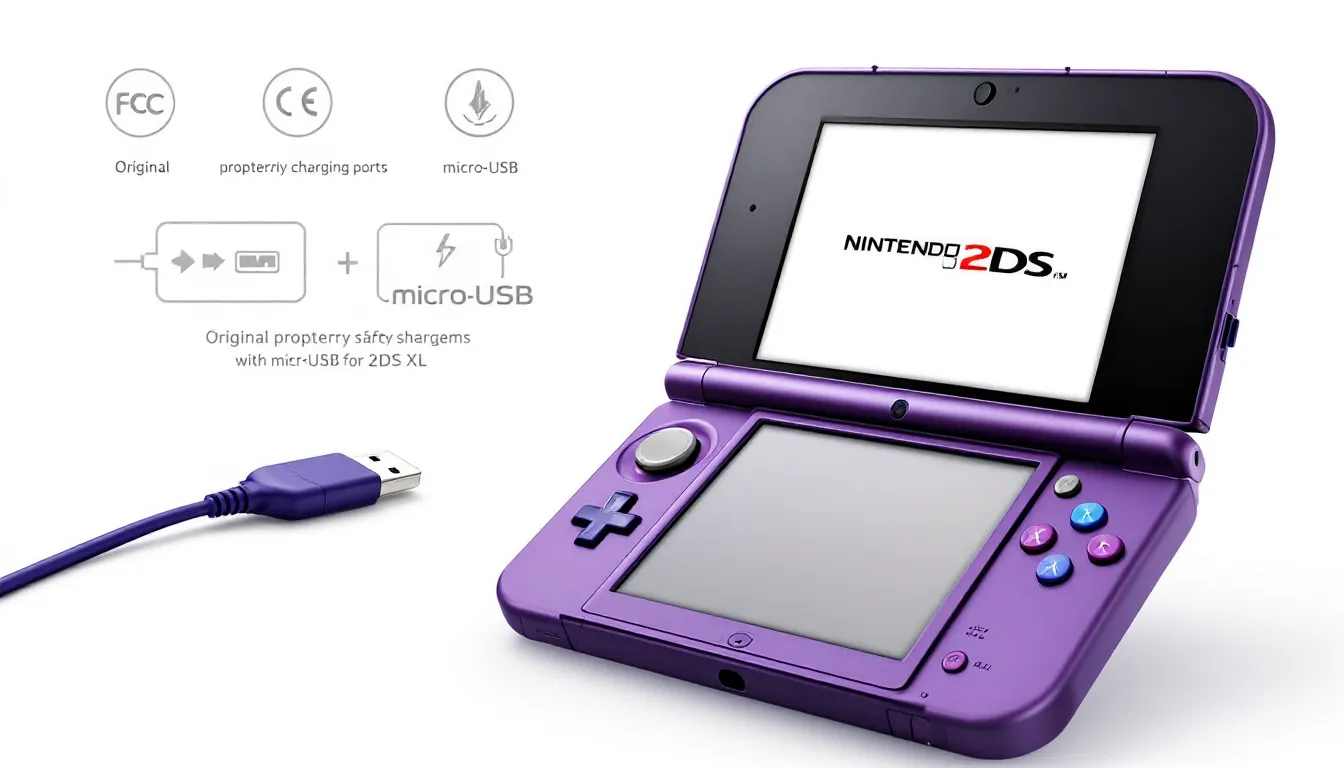
The original Nintendo 2DS (released 2013) uses a proprietary connector that looks superficially similar to the DS Lite charger, but it’s not compatible. That connector is unique to the original 2DS. Then came the Nintendo 2DS XL (2017), which uses a completely different micro-USB charging standard. This is a massive difference, USB is standard across thousands of devices, while the original 2DS connector is a dead-end.
Understanding which model you own is the first step. If you have an original 2DS from 2013, you need that proprietary charger. If you’ve got a 2DS XL, you’re in much better shape because micro-USB chargers are everywhere. The connector location also differs: original 2DS units have the charging port on the bottom-right edge, while the XL sits the port on the bottom-left. Check your system before buying anything.
Many people think they can improvise here, spoiler alert, they can’t. Nintendo devices don’t negotiate on voltage and amperage. Using the wrong charger risks battery damage, slow charging, or hardware failure. It’s not worth the gamble on a system you presumably play or collect.
Official Nintendo Chargers vs. Third-Party Alternatives
Official Nintendo chargers are specifically engineered for the 2DS. The original 2DS charger outputs 5.2V/800mA, and that specification matters. Nintendo designed their chargers with their hardware in mind, so there’s no guesswork about whether it’ll work or cause issues down the line. You’re paying for certainty and reliability.
Third-party chargers are the wild card. Some of them are genuinely excellent, built to spec, properly tested, and sold by reputable manufacturers. Others cut corners on safety certifications, voltage regulation, or build quality. The problem is that from the photos alone, you can’t always tell the difference. A charger that looks solid might have internal components that are undersized, which means it’ll work today but fail catastrophically six months in.
Where third-party options shine is flexibility and price. A third-party micro-USB charger for the 2DS XL can charge your phone, tablet, and Switch as well. If you’ve got multiple devices, that’s genuinely convenient. But for the original 2DS, you’re stuck with proprietary connectors, so any third-party option is still a gamble unless it’s from a well-reviewed, established brand with a track record in gaming accessories.
The reality is this: if you can find an official Nintendo charger at a reasonable price, grab it. If you’re in a pinch and need a third-party solution, look for ones with established reviews from people who’ve actually used them long-term, not just first-week impressions. Avoid the bottom-tier cheapest options: there’s always a reason they cost $3.
What to Look For in a Quality 2DS Charger
Buying a charger isn’t the same as picking up a game, you can’t just look at the cover art and make a decision. There are real specifications and safety markers that separate solid chargers from duds.
Safety Certifications and Compatibility Standards
This is non-negotiable. Any charger worth buying should have FCC certification (in the US), CE marking (in Europe), and ideally UL listing. These aren’t just logos: they mean third-party testing confirmed the charger meets safety standards. No certification? That’s a red flag. It means nobody’s verified whether it could overheat, short-circuit, or damage your system.
For original 2DS units, verify the charger is rated for the exact connector type. Some listings say “2DS compatible” when they really mean “shaped kind of like the 2DS charger.” Look for product photos that clearly show the connector and compare it to known working examples. For 2DS XL units, micro-USB is straightforward, but double-check the voltage specification, it should be 5V for USB standard, and amperage should be at least 500mA (1A is better, but 500mA will work).
Read user reviews specifically from people who mention owning the same 2DS model as you. Someone saying “works great with my Switch” doesn’t guarantee it’ll work with your XL. Look for reviews mentioning charging speed, durability over months of use, and any safety concerns. Avoid reviews that are just “Got it today, looks good.”, those tell you nothing about real-world performance.
Cable Length and Durability Considerations
Cable length matters more than people think. A 6-foot cable gives you flexibility in how you position your 2DS while charging. Shorter cables, especially anything under 3 feet, become annoying fast, especially if your outlets aren’t perfectly positioned next to your gaming spot. But absurdly long cables (15+ feet) tend to have more resistance, which can affect charging efficiency.
Look at cable construction. Cheap chargers use thin rubber or plastic sheaths that crack, fray, and expose internal wires within months. A solid charger has either braided nylon or reinforced rubber around the cable, with stress relief at both the connector and the wall adapter ends. These stress relief areas should be thick and slightly rigid, they prevent the cable from bending sharply and breaking the internal wires.
Connector durability is equally important, especially for the original 2DS proprietary port. A good connector should feel slightly firm when you insert it, not loose, but not painfully tight. If it slides in with zero resistance, it’s probably not going to hold a good contact over time. For micro-USB (2DS XL), the same principle applies. USB connectors wear out from repeated insertion and removal, so a well-designed charger has a connector that stays stable after dozens of insertions.
Budget chargers often use cheaper plastic connectors that wear out quickly, leading to loose connections and charging inconsistencies. Spending an extra $5-10 on a charger with quality cable construction is genuinely worth it over the life of the product.
Best Nintendo 2DS Chargers Available Today
Here’s the practical breakdown of what’s actually available and worth buying in 2026.
Official Nintendo Products
The Nintendo 2DS Power Adapter (original proprietary model) is still the gold standard for original 2DS units. Output is 5.2V/800mA, and it’s designed to spec. You’ll find these on the used market, eBay, Facebook Marketplace, and Amazon from third-party sellers. Prices typically range from $15-30 depending on condition. Avoid sellers claiming “new in box” at $50+: those are usually price gouging. Look for listings from sellers with strong feedback who’ve sold multiple Nintendo accessories.
For the Nintendo 2DS XL, Nintendo’s official micro-USB charger is harder to find new, but used units pop up regularly. Since the 2DS XL uses standard micro-USB, honestly, any quality micro-USB charger works. Nintendo made this the right call. The official charger outputs 5V/1A, which is standard micro-USB spec.
The advantage of buying official chargers is peace of mind. There’s zero compatibility question, zero safety uncertainty. The downside is they’re harder to source now, and sellers know it, prices reflect that scarcity.
Reliable Third-Party Options
For the 2DS XL, the situation is actually great. Any certified micro-USB charger that meets standard specs will work perfectly. Quality brands like Anker and Belkin make micro-USB chargers that are overbuilt, certified, and proven reliable across thousands of devices. These charge faster than Nintendo’s official charger too, 2A output gets you from 0-100% in about 2 hours instead of 3+. They’re available everywhere, usually $8-15, and you’re getting a charger that’ll work with basically any device you own.
For the original 2DS, third-party options are more limited. PDP Performance Designed Products makes a proprietary 2DS charger that’s widely available and reviewed positively by long-term users. Their charger is FCC certified, uses quality cable construction, and is priced around $12-18. It’s not official Nintendo, but it’s from an established gaming peripheral manufacturer with a reputation to protect.
Another solid option is checking refurbished or bulk lots from electronics retailers. Sometimes you’ll find original 2DS chargers bundled in refurbished 2DS bundles, which is a legitimate way to source official hardware.
The reviews matter here. Check recent reviews from people who’ve used the charger for at least 2-3 months, not just first impressions. Watch for comments about connector wear, heating, or charging inconsistencies. If dozens of reviews mention problems, that’s your answer, move on.
According to Nintendo Life, the gaming community has extensively tested charger compatibility across the 2DS lineup, and their recommendation list is worth consulting for up-to-date compatibility information.
Troubleshooting Common Charging Problems
Sometimes your charger seems fine but your 2DS won’t cooperate. Before you panic and buy a new charger, work through these diagnostics.
Device Not Charging Even though Proper Connection
First, check the obvious: is the charger actually plugged in? Seriously. Then, look at the charging port on your 2DS. Over years of use, dust and lint accumulate inside. You’d be surprised how often a blocked port is the culprit, not a dead charger. Use a flashlight to look inside the charging port. If you see debris, use a dry toothpick or a small, non-conductive tool to gently remove it. Never use metal implements, that’s asking for a short circuit.
Next, try a different USB outlet. A faulty wall outlet or USB port on a device can prevent charging. If your 2DS XL charges fine when plugged into your computer but not your wall outlet, the issue is likely your outlet, not the charger.
Inspect the connector for corrosion or damage. If you see green oxidation on the connector (common if the charger’s been sitting in a damp environment), gently clean it with isopropyl alcohol on a cotton swab. Let it dry completely before trying again.
If the charger is working but your 2DS isn’t responding, the battery itself might be dead or the charging circuit in the system might be faulty. Modern 2DS batteries degrade over time, and a 10+ year old system might have a battery that’s simply reached end-of-life. If you own a 2DS XL, battery replacement is straightforward and costs around $15-30 for parts plus minimal tools. Original 2DS units are a bit more involved, but still doable if you’re comfortable opening electronics.
Slow or Inconsistent Charging
If your 2DS charges, but glacially, the problem is usually amperage. If you’re using an official Nintendo charger (5.2V/800mA) and it’s slow, your charger might be failing internally, capacitors wear out over time. Try borrowing a charger from a friend to compare. If a newer charger charges noticeably faster, your original charger is probably degrading.
If you’re using a third-party charger that’s underpowered (some cheap ones only output 500mA), upgrading to a charger with higher amperage fixes this instantly. A 1A charger will charge your 2DS roughly 25% faster than an 800mA charger.
Inconsistent charging, where the charge percentage jumps around or the system charges sporadically, points to a connection issue. The culprit is usually either a dirty port or a connector that doesn’t maintain solid contact. Clean the port as described above, and if that doesn’t help, your charger’s connector might be worn. This is where upgrading to a new charger with a firmer connector makes sense.
Temperature also affects charging. If your 2DS feels hot while charging, stop immediately. Overheating suggests a fault in the charger, battery, or charging circuit. Let it cool for 30 minutes, then try again. If it heats up again, do not continue using that charger, it’s a fire risk.
Extending Your 2DS Charger Lifespan
Chargers aren’t disposable, a good one lasts years if you treat it right. Here’s how to keep yours working.
Maintenance Tips and Best Practices
Don’t yank the connector. This sounds obvious, but the number one reason chargers fail is people pulling on the cable instead of gently removing the connector. When you unplug, grip the connector itself, not the cable. This sounds trivial until you’ve had to buy your third charger because the internal wires finally snapped.
Avoid extreme temperatures. Leaving a charger in direct sunlight or in a cold car isn’t ideal, but short exposure won’t kill it. Chronic exposure to heat or cold degrades the internal components and insulation faster. If your charger is going to sit unused for months, store it in a cool, dry place.
Don’t cover the charger while it’s operating. Chargers generate heat, not a lot, but some. If you drape your charger under a blanket or tuck it behind a pillow while your 2DS is charging, you’re restricting airflow and making the charger work harder. It’ll degrade faster. Keep it exposed to air while in use.
Unplug when not in use. Chargers still draw power even when not actively charging, it’s minimal, but it adds up. Unplugging extends the lifespan of the internal components, especially capacitors that degrade even when idle. It’s also objectively safer. Leaving chargers plugged in indefinitely increases fire risk, even if it’s microscopic.
Storage and Cable Care
Coil your cable loosely. A tight coil puts stress on the insulation and internal wires. Instead, drape the cable in a loose loop or use velcro cable straps that don’t cinch too tightly. The goal is to avoid sharp bends that stress the wires inside.
Store the connector cover on if your charger came with one. If it didn’t, keeping the connector clean and protected from dust is important. Dust inside the connector can cause poor contact or shorts. A small dust cap from a USB cable organizer kit costs a few dollars and can save your charger.
Check the cable periodically for damage. If you see cracks in the insulation, tears, or exposed wires, stop using it immediately. A damaged cable is a fire hazard. Don’t tape it or hope it’ll be fine, replace it. This is one of those rare cases where safety absolutely trumps budget.
If your charger will sit unused for more than a month, unplug it and store it in a cool place. Batteries and capacitors degrade even during storage, but the degradation is slower when the charger isn’t powered.
Conclusion
Finding the right Nintendo 2DS charger isn’t complicated once you know what you’re looking at. Identify which 2DS model you own, understand the charging specification, and prioritize certified chargers from manufacturers with solid track records.
Official Nintendo chargers offer peace of mind but are harder to source now. Quality third-party options, especially micro-USB chargers for the 2DS XL, are absolutely reliable and more affordable. For the original 2DS, PDP and refurbished official chargers are your best bets.
Avoid the temptation to grab the cheapest option and hope for the best. A charger that fails in three months costs more in the long run than spending $5-10 extra on something that’ll actually last. And once you’ve got a solid charger, treat it right: don’t coil it tight, unplug it when not in use, and keep the connector clean.
Your 2DS has probably brought hundreds of hours of gameplay. It deserves a charger that won’t let it down.
About The Author